DarkCoder for VS Code
A coding agent in your sidebar, signed in with your DarkCoder account. It works in VS Code, Cursor, Windsurf and VSCodium. It is included in every plan, and usage counts toward your daily allowance.
Or run in VS Code: ext install darkcoderai.darkcoder-ai · Open in VS Code
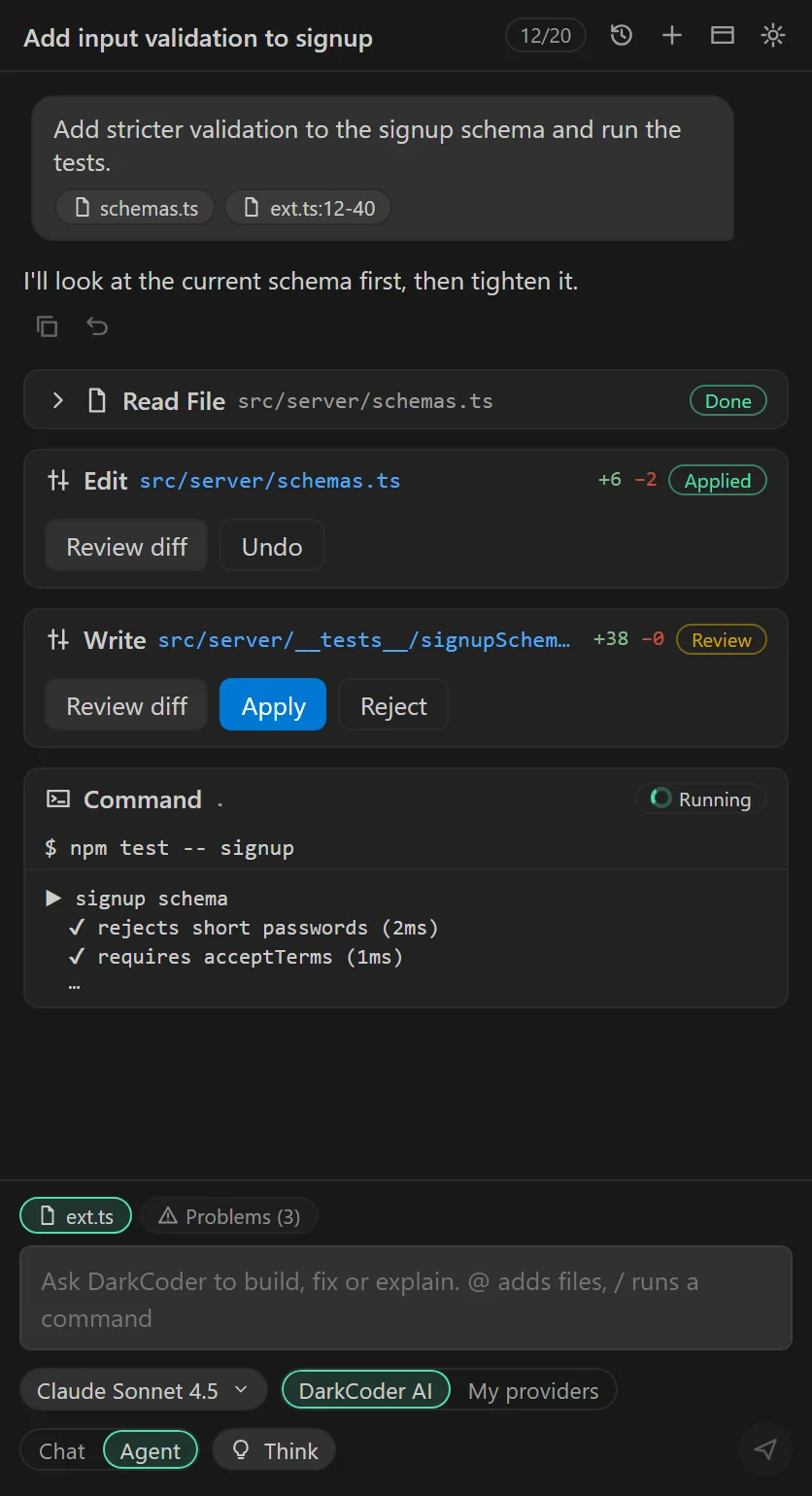
Sidebar chat
Streaming answers with Markdown, copyable code blocks and clickable file:line links.
Any model
Pick Auto or any model exposed on your DarkCoder plan, or your own providers if your plan includes them.
Agent that reads and searches
The agent lists, reads and searches your workspace before it changes anything.
Edits with diff approval
Every proposed edit opens as a diff. You apply or reject it.
Runs commands
Tests, builds and git run in your terminal after you approve them.
Undo
Restore every file the agent changed in the session with one command.
Usage from your plan
One message uses one unit of your daily allowance, however many tool rounds the task takes.
Install and sign in
- 1Install the extension from the .vsix file or the Marketplace.
- 2Open the DarkCoder icon in the Activity Bar and choose Sign in.
- 3Your browser opens DarkCoder. Check the account and press Allow.
- 4You are returned to the editor. Pick a model and ask something.
Privacy
Your messages and the files the agent reads are sent to DarkCoder and the model you choose. The extension signs in with a revocable device token, not your password, and never reads .env or key files. Usage analytics are anonymous counters only: no file paths, code or prompts.